AI Image Upscaler to 2K & 4K

Upload a JPG, PNG or WebP image and upscale it to 2K or 4K with AI. Built for product photos, portraits, illustrations and static wallpapers. Credits are only used on success, and downloads are free.

Please sign in before uploading an image.

JPG, PNG, WebP · Up to 10 MB

Please wait while uploading or processing…

Choose your resolution

Sign in to process images with account credits →

Online purchases and AI image processing are opening soon.

Available credits0 credits
View plans →

AI image enhancement · 2K / 4K output options · Original aspect ratio kept

No image? Try a sample

Uploading your image…

Choose your resolution and start upscaling. The result will appear here once processing is complete.

Upscaling your image…

Enhancing your image. Please keep this page open; the result will appear when processing is complete.

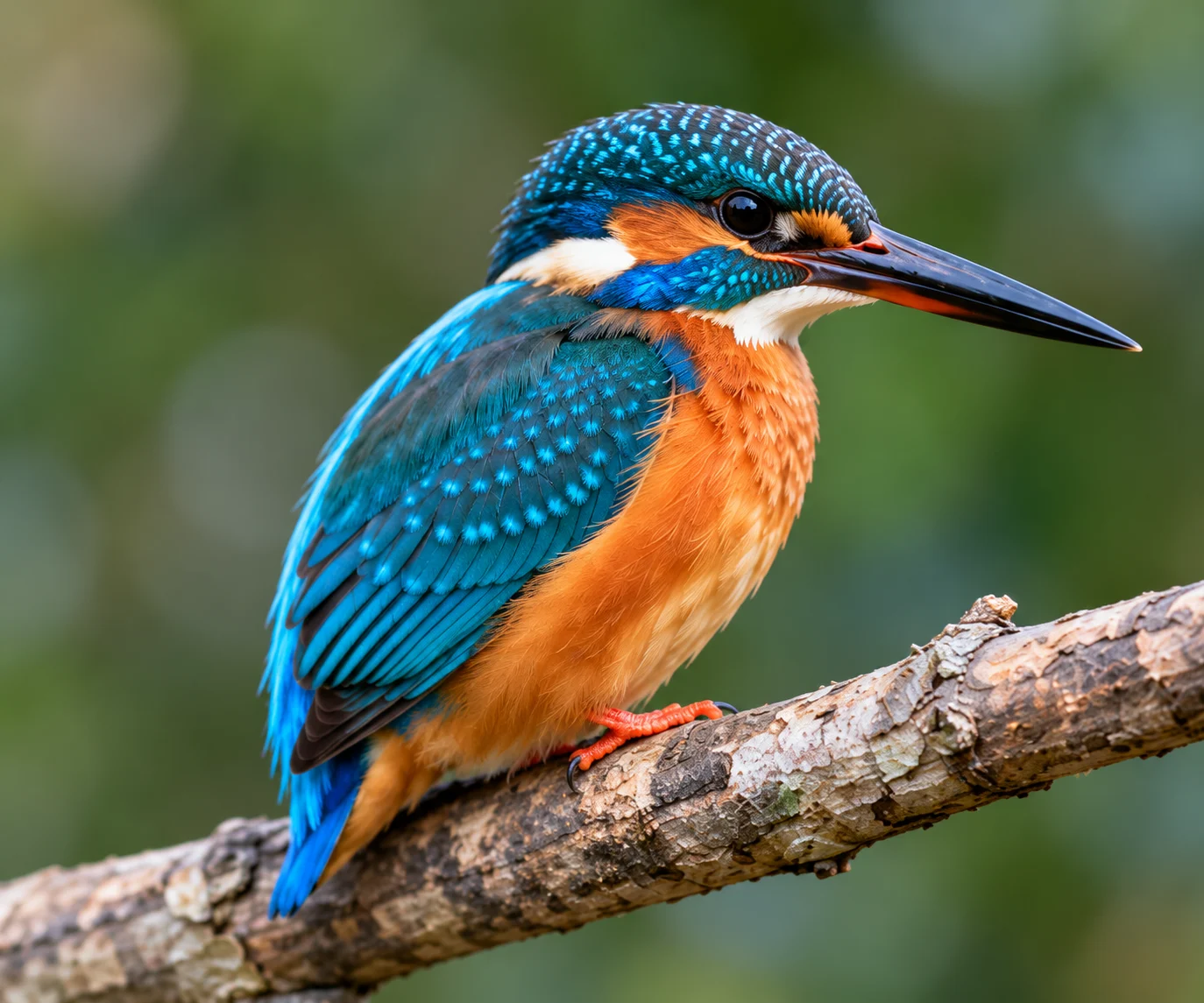
Close-up of a kingfisher with blue feathers and an orange chest
Simulated blur (not an actual before image): Close-up of a kingfisher with blue feathers and an orange chest
OriginalEnhanced
Illustrative comparison

Details worth a closer look

Bring textures and edges into focus.

More room for your images

Get higher-resolution images for your next project.

Three steps. That’s it.

A simple path from upload to download.

Model capabilities · Official OpenAI examples

Explore what GPT Image 2.5 can do

GPT Image 2.5 brings closer attention to detail, editing instructions and reference images, from photographic textures to focused edits and ongoing creative work. Three official examples show these capabilities in practice.

Natural light and richer textures

Bring lighting, materials and composition together for more nuanced photographic detail.

Official example: a sailor repairing a net. The prompt combines skin texture, worn clothing, soft daylight and a film-like finish.

More precise local edits

Change a specified object while aiming to preserve the surrounding composition, lighting and other elements.

Official example: replace white chairs with wooden chairs while keeping the camera angle, room lighting and floor shadows.

Consistent characters across scenes

Use a character reference to carry appearance and visual style into a new scene.

Official example: continue a forest hero’s picture-book story. A new scene helping a squirrel retains the character’s outfit, facial features and watercolor style.

Actual AI processing example

Glass perfume bottle with white flowers in sunlight
Original source
Sample after actual AI processing: Glass perfume bottle with white flowers in sunlight
Actual AI output

2K request · Source 1500 × 589 · Actual output 2560 × 992 px

BLANC remains readable on the label in this result. Paper and fabric textures changed, along with reflections and edges of the bottle. Larger dimensions do not guarantee faithful packaging details; check them before commercial use.

Processed: 2026-11-01

A bundled sample processed through this tool’s existing AI workflow. Previews are only reduced and compressed to WebP, with no added blur or sharpening. Each image keeps its own proportions; this is not a 100% pixel comparison. The full PNG is the file returned by the service.

01

Product photos, bigger possibilities

Take a closer look at textures, materials, and packaging. Prepare larger images for your storefront, catalog or next campaign.

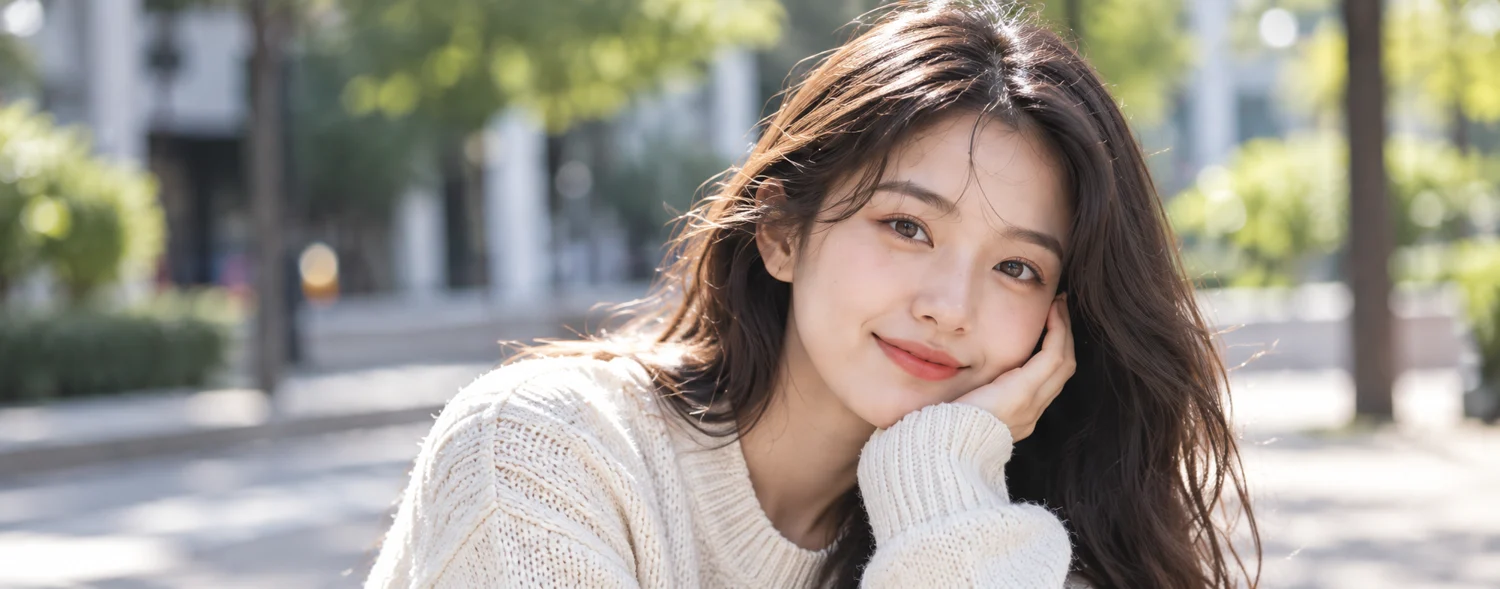
Portrait of a woman in a cream sweater
Simulated blur (not an actual before image): Portrait of a woman in a cream sweater
OriginalEnhanced
Illustrative comparison
02

Make every portrait count

Take a closer look at facial details and skin texture in a larger portrait.

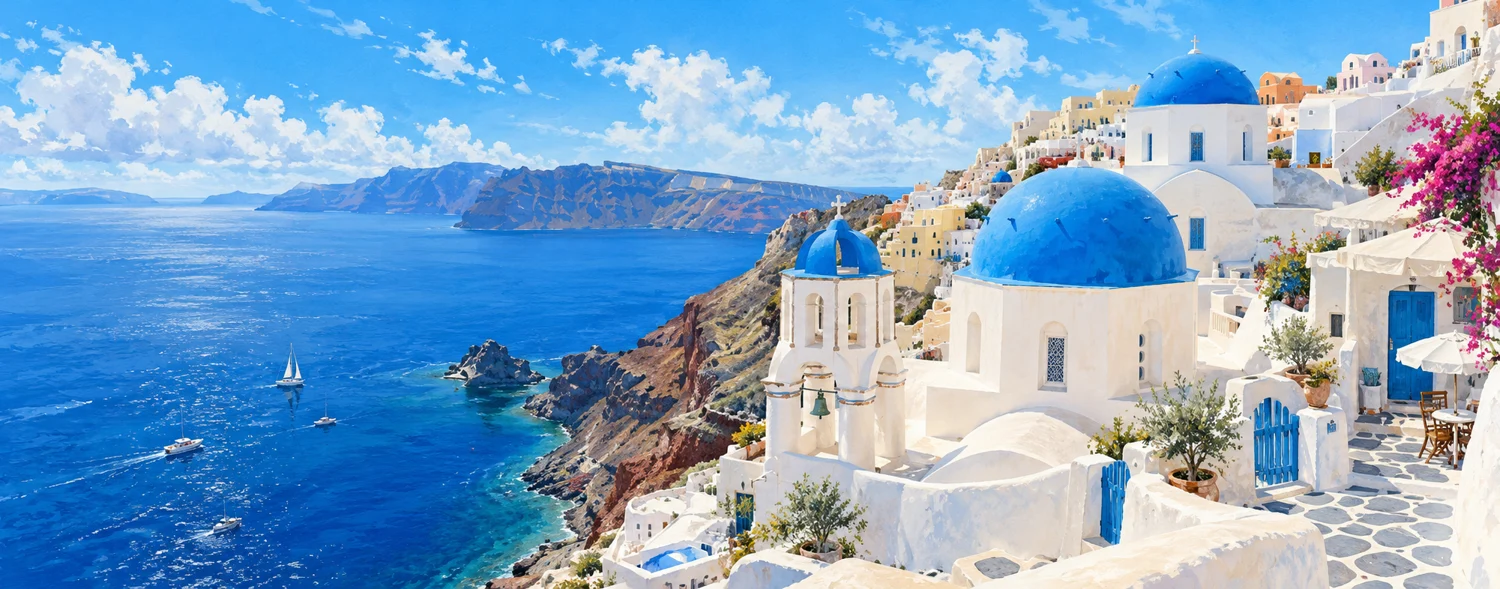
Actual AI processing example

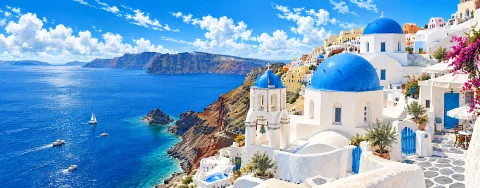
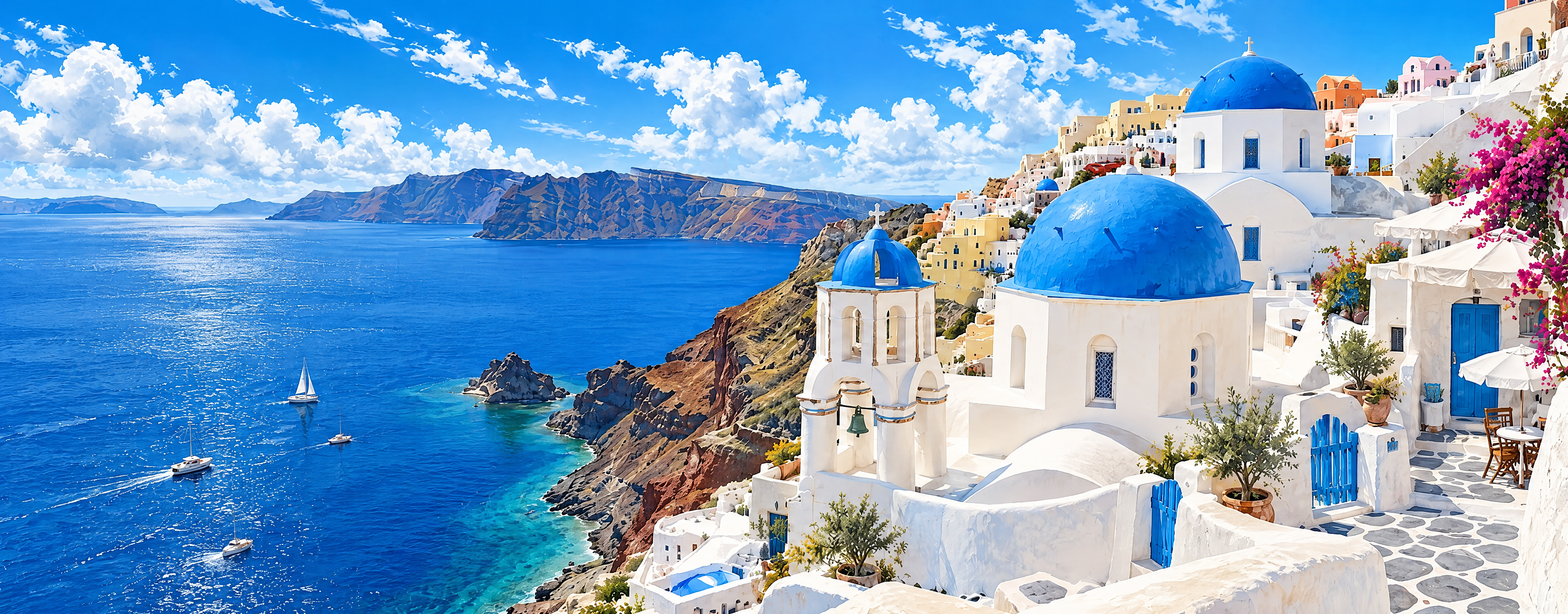
Illustrated white buildings along a blue coastline
Original source
Sample after actual AI processing: Illustrated white buildings along a blue coastline
Actual AI output

4K request · Source 1500 × 589 · Actual output 3840 × 1504 px

The blue roofs and white buildings remain recognizable, but wall textures, strokes on the sea and some architectural details changed. Use this example to assess large-screen display, without assuming every original brushstroke will be preserved.

Processed: 2026-11-01

A bundled sample processed through this tool’s existing AI workflow. Previews are only reduced and compressed to WebP, with no added blur or sharpening. Each image keeps its own proportions; this is not a 100% pixel comparison. The full PNG is the file returned by the service.

03

Give your artwork room to shine

Make room for digital paintings, illustrations and original designs. See how brushwork, lines and colors hold up on a larger canvas.

Wallpaper use cases

Turn a favorite image into wallpaper

Upload landscape photos, illustrations or abstract artwork for use as static wallpaper. Match the image to your screen’s aspect ratio, then choose 2K or 4K to help keep your subject in frame.

These examples explain sizing and screen fit, not measured before-and-after results. 4K is experimental. The dimensions shown are request targets; actual output depends on the AI result.

16:9 landscape

Desktop wallpaper

Example source
1920 × 1080 px
4K request target
3840 × 2160 px

A good fit for scenery, architecture and landscape illustrations. A 16:9 screen is more likely to preserve the full composition. Check foliage, building edges and sky gradients for visible artifacts after processing.

9:16 portrait

Phone wallpaper

Example source
1080 × 1920 px
4K request target
2160 × 3840 px

Use a portrait photo or illustration. Taller phone screens may still crop the sides, so preview the subject’s position and leave room for the lock screen clock and home screen icons.

21:9 landscape

Ultrawide wallpaper

Example source
2520 × 1080 px
4K request target
3840 × 1632 px

Use wide landscapes or panoramic compositions. Target dimensions follow the source ratio and round down to multiples of 16. Choosing 4K does not always mean 3840 × 2160 output, and does not extend a standard landscape image into a panorama.

Supports static JPG, PNG and WebP images up to 10 MB, with aspect ratios from 1:3 to 3:1. Animated wallpapers are not supported. The tool does not crop to fit your screen or extend the image. AI may alter textures, text and details; check the downloaded dimensions and preview on your target screen.

How it works

1

Upload your image

Select a JPG, PNG, or WebP image, or drag and drop it here.

2

Pick your resolution

Request 2K or 4K output while preserving the image aspect ratio. Actual dimensions depend on the AI result.

3

Download your image

Review the result, then download your enhanced image.

SIMPLE PLANS. MORE POSSIBILITIES.

Plans and pricing

Online purchases and AI image processing are opening soon.

Plus

For occasional image upscaling

$9.90/ month
100 creditsmonthly credits · expire each period

≈ $0.099 USD per credit
2K ≈ $0.79 per image (8 credits)
4K ≈ $1.78 per image (18 credits)

  • AI image enhancement
  • 2K and 4K upscaling
  • Free image downloads
  • Credits charged only on success

Ultra

For frequent image processing

$49.90/ month
2,000 creditsmonthly credits · expire each period

≈ $0.025 USD per credit
2K ≈ $0.20 per image (8 credits)
4K ≈ $0.45 per image (18 credits)

  • AI image enhancement
  • 2K and 4K upscaling
  • Free image downloads
  • Credits charged only on success

Base

Pay once and use credits whenever you need them. No subscription.

$9.90USD · one-time
100 creditsCredits never expire

≈ $0.099 USD per credit
2K ≈ $0.79 per image (8 credits)
4K ≈ $1.78 per image (18 credits)

  • AI image enhancement
  • 2K and 4K upscaling
  • Free image downloads
  • Credits charged only on success

Ultra

A larger permanent credit pack for frequent image processing.

$49.90USD · one-time
2,000 creditsCredits never expire

≈ $0.025 USD per credit
2K ≈ $0.20 per image (8 credits)
4K ≈ $0.45 per image (18 credits)

  • AI image enhancement
  • 2K and 4K upscaling
  • Free image downloads
  • Credits charged only on success

How do credits work?

01

Get credits

Monthly plans renew automatically. Credits are added after each confirmed payment and expire at the end of that billing period without rolling over. Cancel from your account. One-time packs do not renew and their credits never expire. Applicable taxes are shown at checkout.

02

Use as you go

Each 2K image costs 8 credits; each 4K image costs 18 credits. Both resolutions use the same credit balance.

03

No charge for failures

Credits are deducted only when an image is successfully generated. Failed requests and images that exceed size limits cost no credits.

Estimated cost per image assumes you use all credits in your plan. Unused credits increase your effective cost per image.

Online purchases and AI image processing are opening soon.

Practical image upscaling guides

A few minutes of reading before you upscale: pick the right resolution, avoid common pitfalls and get more from every image.

Upscale images by use

Upscale an image to 4K online

Check 4K request sizes for landscape, portrait and square images. See why 4K is not always 3840 × 2160 and how to verify the downloaded dimensions.

AI product photo upscaler

Upscale product photos to 2K or 4K for your store, catalog and ads. Learn how to pick source images, check transparent backgrounds and keep a product line consistent.

Illustration and anime image upscaler

Upscale digital paintings, illustrations and anime-style images to 2K or 4K. See how lines, brushwork and color hold up at a larger size, and what to watch for.

Increase image resolution online

Decide whether to re-export a source file, resize an image or try AI enhancement. Compare what each method can do for pixel dimensions, text and detail.

Turn a photo into a 4K HD wallpaper

Upscale a favorite photo to 2K or 4K with AI and make a sharp wallpaper for your desktop, laptop or phone. Includes common screen resolutions and tips on orientation.

See all guides →

Frequently asked questions

Which image formats are supported?

We support static JPG, PNG, and WebP images up to 10 MB. AI editing may change transparency; check the result before use.

Will upscaling affect image quality?

Results depend on the source. Basic resizing adds pixels but does not recover lost detail. AI enhancement can introduce different textures, so always inspect the result.

How large can I make an image?

2K fits within 2560 × 1440 and 4K within 3840 × 2160, with width and height reversed for portrait images. Dimensions follow the source aspect ratio and are rounded to multiples of 16. 4K is experimental; actual output depends on the provider.

Are my images stored?

Images are uploaded to this server and sent to the configured AI provider for enhancement. Results expire after 24 hours. Expired uploads and outputs are deleted during the next scheduled cleanup. Images created while signed in are available only to your account. Credits belong to your signed-in account. See the pricing section for purchase availability and eligibility.

Is AI enhancement available now?

Upscaling requests AI enhancement and returns the AI-generated image as delivered without cropping or resizing. AI may change details. Examples shown before processing are illustrative.

Can I upscale images for print?

Check output pixel dimensions against your print size and target PPI. More pixels do not guarantee more real detail. Inspect at 100% and make a small test print first.

How do I receive credits?

Credits arrive after payment is confirmed. Each 2K image costs 8 credits and each 4K image costs 18 credits. Failed jobs cost no credits, and downloads are free.

Do credits expire? Can I cancel?

Monthly plans renew automatically. Credits are added after each confirmed payment and expire at the end of that billing period without rolling over. Cancel from your account. One-time packs do not renew and their credits never expire. Applicable taxes are shown at checkout.

Do failed jobs or repeat downloads cost credits?

Credits are deducted only after a successful result. Failed requests and images that exceed size limits cost no credits. Downloading the same result again is free; each new successful generation is charged, even if you use the same image and resolution.

Give your next image a clearer look

Start with an image. Discover the details.

JPG, PNG, WebP · Up to 10 MB

Sign in to aiimage4k

Continue with your Google account to manage your profile and image history.